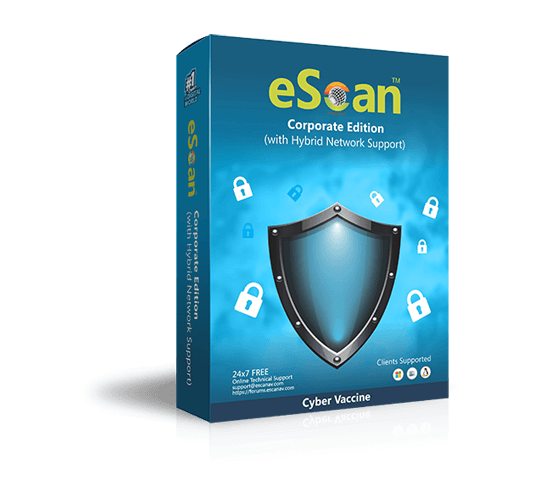


eScan Corporate for Citrix Servers
eScan Corporate for Citrix Servers is a comprehensive Anti-Virus, Anti-Spam and Content Security solution that provides Zero-day Protection against Viruses, Spyware, Adware, Keyloggers, Rootkits, Botnets, Hacking, Spam, Phishing and Offensive Content. eScan ensures complete protection to computer systems and networks with its indigenous powerful technologies such as MicroWorld Winsock Layer (MWL) Technology, Non Intrusive Learning Pattern (NILP) Technology and sophisticated Anti-Virus Heuristic Algorithms.
Advanced Protection against Ransomware Threats
Customer Testimonials
I am impressed with the eScan product and the response from the support group is brilliant. When the license expires, I am very sure our institution will renew it.
Victor Mwewa- Kitwe City Council, Zambia
100% excellent Security
Joseph Adam Komba - Faith Technologies, Tanzania
Excellent product!
William Fredericks - SMTS Surface Mining Training Solutions (Pty) Ltd, South Africa
* Varies from person to person
Language Versions
English, German, French, Nederlands, Italian, Portuguese, Spanish, Turkish, Chinese Simplified, Chinese Traditional, Greek, Korean, Norwegian, Russian, Polish and Latin Spanish
Benefits

Ensures Business Continuity
Prevents Data theft, Productivity loss and Security violations.

Enhanced Multi-layered Protection at Server and Endpoint
Provides Zero-day Protection against Malware, Hacking, Phishing and Spam to the server and clients.

Reduces IT Costs
Reduces Security Management costs through File Reputation Services, Asset Management, Print activity, ADS integration and Support for VMware, SYSLOG, SNMP, NAC and NAP
Key Features

New Secure Web Interface
The new Secure Web Interface uses SSL technology to encrypt all communications between
the server and the clients effectively preventing man-in-the-middle-attacks.
With the new Web-based eScan Management Console (EMC), network administrators can
now monitor and deploy a variety of security measures, such as malware and spam
updates, licenses, custom install/uninstall and upgrading eScan, enabling or disabling
of eScan modules, install/uninstall other Anti-Virus software and enforce integrated
security policies across the network, all using a browser.

Summarized Dashboard for better Security Management
A summarized dashboard facilitates administrator with the status of managed clients in graphical formats such as deployment status, protection status and protection statistics.

Endpoint Security with Device Management (USBs and CD/DVD ROMs)
Administrators can assign privileges to clients on access to the removable devices such as CD-ROM, USB Devices. With application control, the administrators can also define applications that cannot be used in a client.

Network Outbreak Prevention, Live Alerts and Reports
eScan automatically prevents spreading of malware infection in networks, sending
alerts to the administrator about the outbreaks in the networks.
It can also instantaneously display live alerts about Applications, USB / Flash
device and Site Browsing information of the clients. Administrators can view comprehensive
reports on all the clients and can also export the reports to XLS, PDF and CSV formats
for in-depth analysis.

Hotfix Management
Administrators can now manage Critical Hotfixes released by eScan and Microsoft to ensure that all the clients in the network are updated with the latest patches.

Enhanced Firewall on both the Server and the Client
The two-way Firewall with predefined rule sets at the client monitors and logs all incoming and outgoing traffic according to the policy defined for the client.

Sophisticated File Blocking and Folder Protection
Administrators can now prevent the creation of specific types of files and protect folders from modifications by malware.

The New Faster and Intelligent On-Demand Scanner
The new On-Demand Scanner with Whitelisting Technology performs faster scans on the clients and is very light on system resources. A battery mode automatically detects when the laptop / netbook is on battery and restricts resource intensive processes such as scheduled scans from starting, thereby providing unmitigated battery time.
Windows OS and App Patch/Update Management
eScan's Patch Management Module auto-updates Windows OS security patch from Cloud or from EMC Console, on PC’s those are part of DMZ/Air-Gapped Networks. The module also reports patching availability for Critical Apps like Adobe, Java, etc.
